

Why it happens
Missed calls are lost jobs you never see.
You stop losing jobs to missed calls by making sure every call gets answered live or gets a fast text back, so the caller never has a reason to dial the next company on the list. An AI phone system answers the call itself; a missed-call text-back catches the ones nobody picked up.
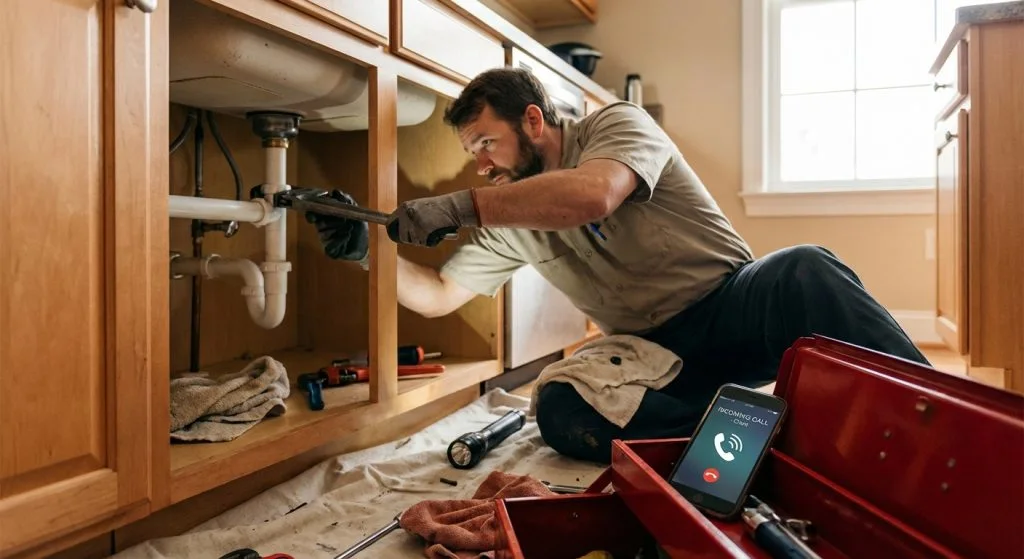
Service businesses miss calls for ordinary reasons. You’re on a roof, under a sink or in a crawlspace. You’re driving between jobs. The office is on another line, at lunch or closed for the night. None of that is a failure; it’s the job. But the person calling with a leaking water heater or a dead furnace doesn’t wait to find out why you didn’t pick up.
That’s what makes missed calls invisible. A lost job shows up nowhere in your books. You never learn that the caller hung up on your voicemail, called the next plumber in the search results and booked with them ten minutes later. The only trace is a number in your call log you never called back, or called back too late.
Urgent calls are the ones you can least afford to miss, and they’re the ones most likely to come in after hours. Emergency work also tends to be the best-paying work. Answer those calls and you win the jobs your competitors let ring.
Measure it first
Count your missed calls this week.
Before you buy anything, find out how big the problem is. Pull the last 30 days from your phone system or carrier portal and look at every inbound call that went unanswered. Then sort them:
- Calls missed during business hours
- Calls missed after hours and on weekends
- Missed callers who never called back
- Missed callers you called back, and how long it took
- Repeat numbers that tried two or three times
- Spam and robocalls, which you can ignore
Two numbers tell you most of the story: missed calls that never called back, and how long your callbacks take. If dozens of real numbers never reached you, or your callbacks run hours behind, you’re losing work. Multiply the missed calls you think were real jobs by your average ticket, and you have a rough monthly cost to weigh against any fix.
Also check what happens when a call does go to voicemail. Is the greeting current? Does it promise a callback time you can keep? Does anyone check the box at night? If nobody does, voicemail is where calls go to die.
Three fixes
Voicemail, text-back or AI answering.
There are three ways to handle a call you can’t pick up. They are not the same thing, and the gap between them is the gap between a message and a booked job.
Who answers
- Voicemail
- Nobody
- Missed-call text-back
- Nobody; a text goes out after the call ends
- Lithium AI receptionist
- AI answers every call, 24/7
What the caller gets
- Voicemail
- A greeting and a beep
- Missed-call text-back
- A text within seconds of hanging up
- Lithium AI receptionist
- A conversation, answers and a booked time
Urgent calls
- Voicemail
- Wait for a callback
- Missed-call text-back
- Wait for someone to read the reply
- Lithium AI receptionist
- Transfers to a real person by your rules
Calls at once
- Voicemail
- Rolls to voicemail
- Missed-call text-back
- Each missed call gets its own text
- Lithium AI receptionist
- Unlimited concurrent calls
Books the job
- Voicemail
- No
- Missed-call text-back
- Only once a person replies
- Lithium AI receptionist
- Yes, into your calendar
Cost
- Voicemail
- Included with your phone line
- Missed-call text-back
- Custom workflow, scoped after a discovery call
- Lithium AI receptionist
- $179 a month, no contract, no setup fee
A text-back is a big step up from voicemail. People who won’t leave a voicemail will often answer a text, and the text tells them you saw the call. But it still depends on someone reading the reply and acting on it. If nobody checks texts until morning, the after-hours caller still goes elsewhere.
An AI receptionist removes that wait. It picks up while the phone is still ringing, asks the questions your office would ask, books the job into your calendar, answers common questions about your services and areas, and texts the caller a confirmation. When a call needs a person, like a burst pipe or an angry customer, it transfers to your team.
How text-back works
What a good missed-call text looks like.
A text-back fires when a call ends unanswered. The phone system or texting tool sees the missed call, sends a short message from your business number and drops the reply into a shared inbox or your CRM, where your team picks it up.
The message itself matters more than the software. Here’s an illustrative one:
“Hi, this is [your company name]. Sorry we missed your call, we’re on a job. What can we help with? If water is leaking now, reply URGENT and our on-call tech will call you right back.”
It names the business, so the caller knows who’s texting. It explains the miss without excuses. It asks one easy question. And it gives urgent callers a fast lane, which only works if someone is on call to answer it.
- Send it within a minute of the missed call
- Use your business name in the first line
- Ask one question the caller can answer fast
- Give urgent callers a clear next step
- Make sure a named person owns the replies
- Skip text-backs to known spam and to calls you returned
Texting rules
Register your number and respect consent.
In the US, business texting from a regular ten-digit number runs under a carrier program called A2P 10DLC. Your business and your use case have to be registered through your texting provider before messages go out. Unregistered texts get filtered or blocked, which means your text-back silently fails. Ask any provider you’re considering whether they handle registration and how long approval takes.
Consent is the other rule. A reply to someone who called you minutes ago, about the reason they called, is a response to their request. Marketing texts are different: promotions, seasonal offers and review blasts need the customer’s permission first. Keep text-backs about the call, honor STOP replies right away, and talk to your provider or attorney before you turn a text-back list into a marketing list.
What it looks like in practice
A plumbing company that stopped losing night calls.
One plumbing company we worked with found that 60% of its after-hours emergency calls had been going to voicemail. We built a custom AI phone system that answers those calls, works out how urgent each one is, texts the on-call tech by SMS when it’s a true emergency and books the non-emergency jobs for the next open slot. The result was 3x more leads.
Not every shop needs a custom build. Smart Doors LLC runs Lithium’s AI receptionist, the managed product, to answer its calls and book work. For most contractors, that’s the place to start: it’s live in days, it costs $179 a month, and there’s no contract to get out of if it isn’t a fit.
Want to hear it before you decide? Call the demo line at (503) 766-5964 and talk to it the way your customers would.
Prove it worked
What to track after you switch.
Run the same count you ran before, a month after the change. Compare like with like, since seasons change call volume. Track these:
Answered or replied calls
The share of real calls that got a live answer or a text reply, during and after hours.
Booked jobs from calls
How many calls turned into a booked appointment, and how many of those came in after hours.
Time to first response
Minutes from the call to a live answer or a reply. Shorter wins more jobs.
Transfers and handoffs
How many calls went to a person, and whether those were the right calls to send.
Which one to pick
Match the fix to how you miss calls.
If you miss calls all day because everyone is on jobs, or you get real calls at night and on weekends, start with an AI receptionist. It closes the whole gap for $179 a month, with no setup fee and no contract.
If you miss only a few calls a week and someone reliably checks texts, a text-back may be enough. If you need something the standard product doesn’t do, like triaging emergencies to an on-call rotation or connecting to an unusual dispatch system, that’s a custom AI workflow , scoped after a free discovery call.
Once calls are covered, the paperwork after the job is often the next leak. See how techs turn voice notes into estimates and invoices .