


The short answer
Five things a customer checks before calling you.
The five website trust signals every service business needs are real contact details, real photos of your team and work, reviews with a source, your license and insurance details, and clear terms for pricing and warranties. A homeowner is about to let a stranger into the house, and a property manager is about to hand over a building. They scan for these five things in seconds. When one is missing, they hit the back button and call the next company.
None of the five costs much. Most come down to putting facts you already have where a visitor can see them. Below, each signal comes with examples from service business websites Lithium designed and built.
Real contact details
A phone number that works, your service area, your hours and a form that reaches someone.
Real photos
Your crew, your trucks and your finished jobs. No stock strangers.
Reviews with a source
Your Google rating, real reviewer names and a link to read them all.
Licenses and insurance
License numbers, certifications and who issued them.
Clear terms
How pricing works, what the warranty covers and what happens after someone reaches out.
Signal 1
Real contact details and a way to reach you that works.
Put your phone number in the header of every page as a tap-to-call button. Show your hours, the towns you serve and, if customers can visit, your address. Make sure the business name, address and phone number match your Google Business Profile exactly. A visitor who sees two different phone numbers wonders which one is real.
Stanford’s web credibility guidelines put “make it easy to contact you” near the top of the list, along with showing there is a real organization behind the site and keeping it free of errors. Read Stanford’s guidelines
Then test it. Call the number from the site on your own phone. Submit your own form and check that someone receives it and replies. A contact form that goes nowhere is worse than no form, because the customer thinks they reached you.
Signal 2
Real photos of your crew, trucks and jobs.
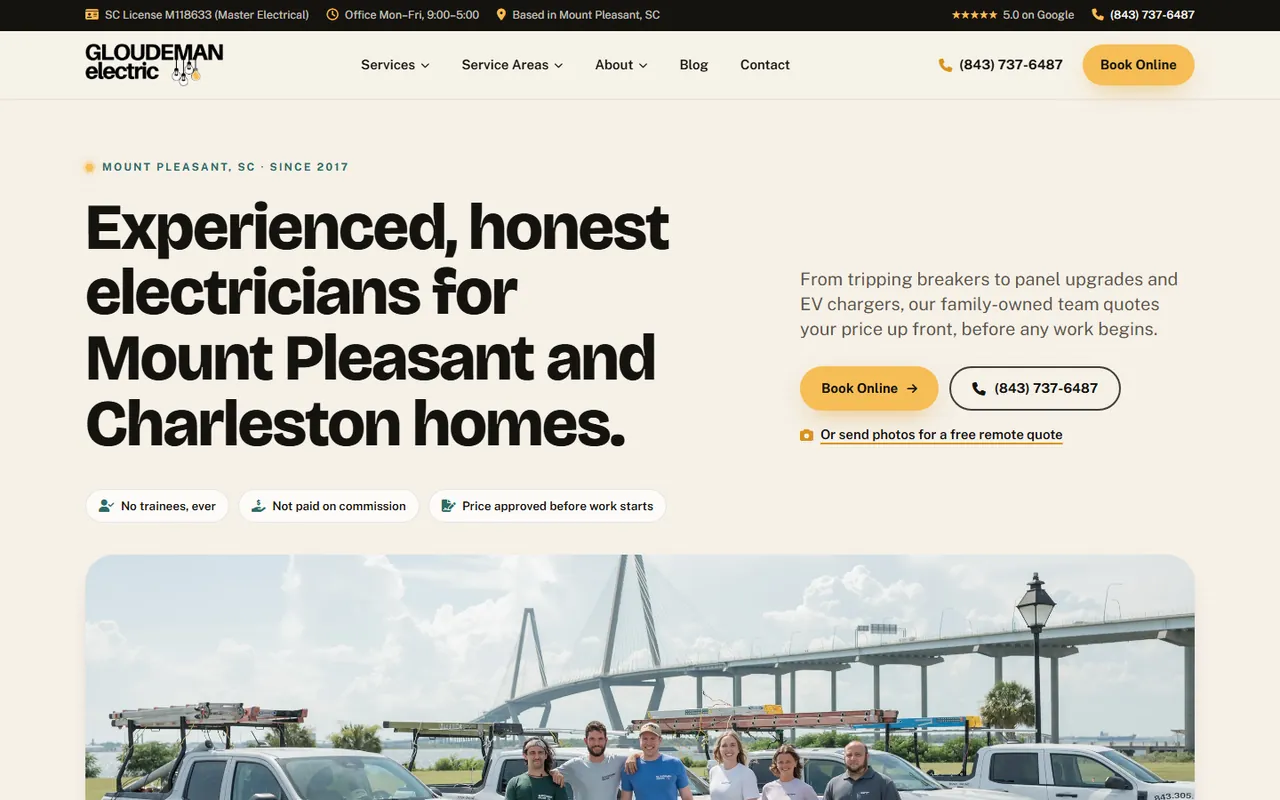
Customers want to see who is coming to the house. Gloudeman Electric, an electrician we built for in Mount Pleasant, South Carolina, puts its real crew standing beside its trucks in the hero photo. Lovett Restoration’s site is built around its own branded photography of real techs and equipment. Both say “this is us” before a visitor reads a word.
Nielsen Norman Group’s eye-tracking research found that people pay attention to photos that carry information, such as real people and real product details, and ignore generic filler images. Stock photos of smiling technicians fall in the second group. Read the image research
Phone photos are fine. Caption them with the job type and the town, and never show a project you did not do.
Signal 3
Reviews a visitor can trace to the source.
Show your Google rating near the top of the page and link it to your Google Business Profile, so a visitor can read every review, good and bad. On the page, quote a few reviews word for word with the reviewer’s name. Never edit a customer’s words into a stronger claim, and never invent a testimonial. Anonymous one-line quotes signed with a single initial do more harm than good, because they look made up.
Your replies matter too. A calm, specific reply to a bad review tells a future customer how you handle problems, which is what they are worried about. Our guide to responding to Google reviews covers how.
The same rule applies to results. If you claim a number, name the job and show where it came from. An award with no name or a vague “#1 in the area” gives the reader nothing to check.
Signal 4
Licenses, insurance and certifications, with the details.
“Licensed and insured” is a start. A license number is proof. Put it in the footer of every page and on your about page, and name each certification along with who issued it.
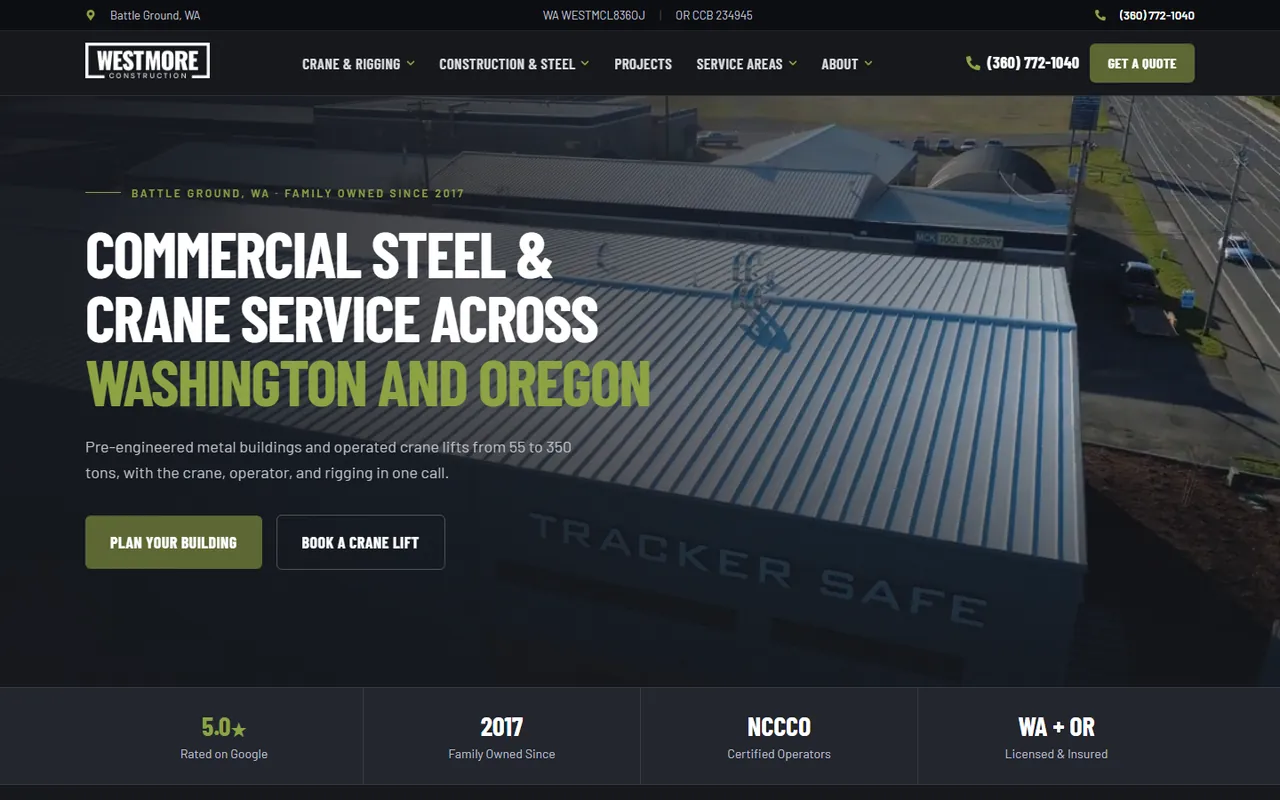
Westmore Construction shows its certified crane operators and its Washington and Oregon licensing in a strip right under the hero. Porter Sealcoating & Paving lists its Oregon license number at the top of the page. Ballistic Junk Removal shows its city and state license badges next to its Google reviews.
A badge on its own means little. A badge with the issuer and what it covers tells a buyer you passed someone else’s check.
Signal 5
Clear terms: pricing, warranties and what happens next.
People fear surprises more than they fear prices. Say how you price: free estimates, a trip fee, a written quote before work starts or good-better-best options. Gloudeman Electric promises the customer approves the price before work starts. Smart Doors explains that every estimate comes with three options. Panda Plumbing puts its arrival-window guarantee right in the hero.
State your warranty in plain words: what it covers and for how long. Then explain what happens after someone calls or submits the form, such as who calls back and how soon. Only promise what you deliver every time. A vague guarantee that falls apart on the first call does more damage than no guarantee at all.
We hold ourselves to the same rule. Lithium does not promise rankings, leads or revenue. What we guarantee is the work.
Is your site scaring people away?
Six warning signs to fix this week.
An old copyright year
A footer that says a year long past makes visitors wonder if you are still in business.
A “Not secure” warning
Browsers flag sites without HTTPS, and that warning is the last thing a nervous customer should see.
Services you no longer offer
Old prices, retired services or towns you stopped serving lead to awkward calls and lost trust.
Broken links and forms
One dead link suggests nobody is minding the site, or the business.
A slow, cramped phone view
Tiny text, buttons too small to tap and a long wait to load send phone visitors to the next result.
No photos of your own work
A site full of stock images gives a buyer no reason to believe you did any of it.
If your site has three or more of these, it is probably time for a rebuild. Our website redesign checklist walks through doing it without losing your rankings. A Lithium website is typically $5,000, you own it, and optional hosting and maintenance at $99 a month keeps it current.
