

What good looks like
A manufacturing website is a spec sheet with a quote button.
The best manufacturing websites state exactly what the shop can make or finish, show real parts for the industries it serves and make a request for quote the obvious next step. Engineers and purchasing managers vet suppliers on their websites, often without contacting a single one. If your page does not say you run the process, hold the tolerance or handle the material, you are off the list before you knew you were on it.
Below are three sites Lithium designed and built. Advanced Coatings is an industrial coatings shop, and it is the closest match to most manufacturers. Westmore Construction and Greenlight Titles are not manufacturers, but both sell to business buyers, and each has a feature a manufacturer should copy. After the examples comes the feature checklist.
Example one: industrial coatings
Advanced Coatings says what it does in the first two lines.
Advanced Coatings is a Cerakote and powder coating shop in Redmond, Oregon, doing production and one-off work for firearms, aerospace, automotive and industrial customers. We built its site on WordPress and Elementor with a page each for Cerakote, powder coating, aviation work and mil-spec work.
The homepage hero does three jobs in one screen. A Cerakote certified applicator badge sits above the headline. The subhead lists the processes and the industries served, so an engineer knows within seconds whether this shop fits the part. Then a red get-a-free-quote button sits beside a view-our-work button, with the phone number and a second quote button in the header.
Right under the hero, a row of customer logos shows the brands the shop already coats for. For a B2B buyer, that strip answers “who else trusts these people” faster than any paragraph could.
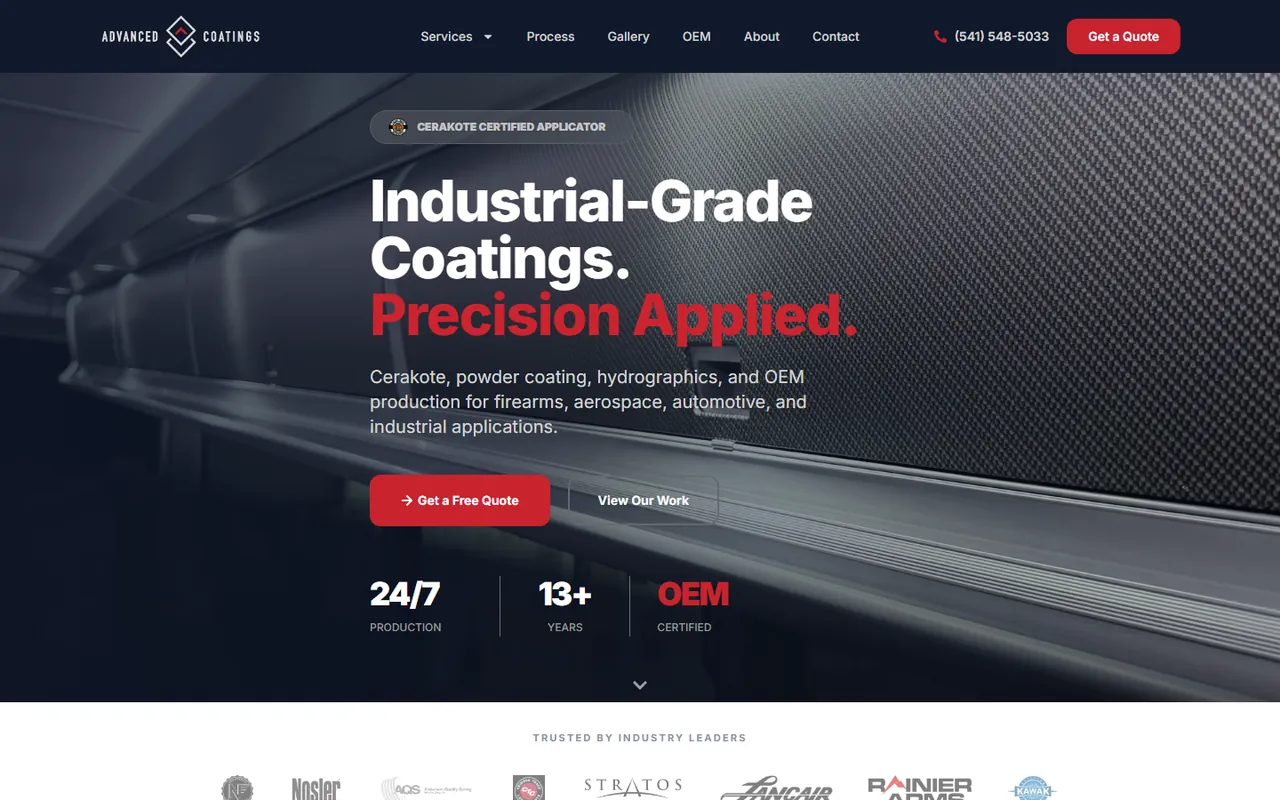
- Processes and industries in the first screen
- Your certification above the headline
- Customer logos right under the hero
Below the fold
How the rest of the Advanced Coatings homepage sells.
Scroll down and the page keeps answering a buyer’s questions in the order they come up. First, which processes? Four tall panels for Cerakote, powder coating, hydrographics and aviation and mil-spec work open up on hover, each with a short description and a link to its own page. Next, how is the work done? A surface engineering section explains that a good finish is a controlled sequence: inspection, cleaning, stripping, blasting, masking, coating, cure and final inspection.
Then, have you done parts like mine? An industries grid shows a real part for each sector the shop serves, from aviation and defense to automotive, motor coaches and fabrication. Finally, can you handle volume? A section on robotics-assisted production and a gallery of finished work close the case before the quote form.
That order matters. An engineer who reads the process, sees a part like theirs and trusts the prep work is ready to send a drawing. One who has to dig for any of it will not.
Processes
- A panel per process
- Its own page for each one
- Plain description of each
Industries
- A real part for each sector
- Short line on the work done
- Photos of the shop’s own parts
Quality
- The prep sequence spelled out
- Certifications named
- Production capacity shown
Example two: B2B steel and crane service
Westmore Construction sorts business buyers by division.
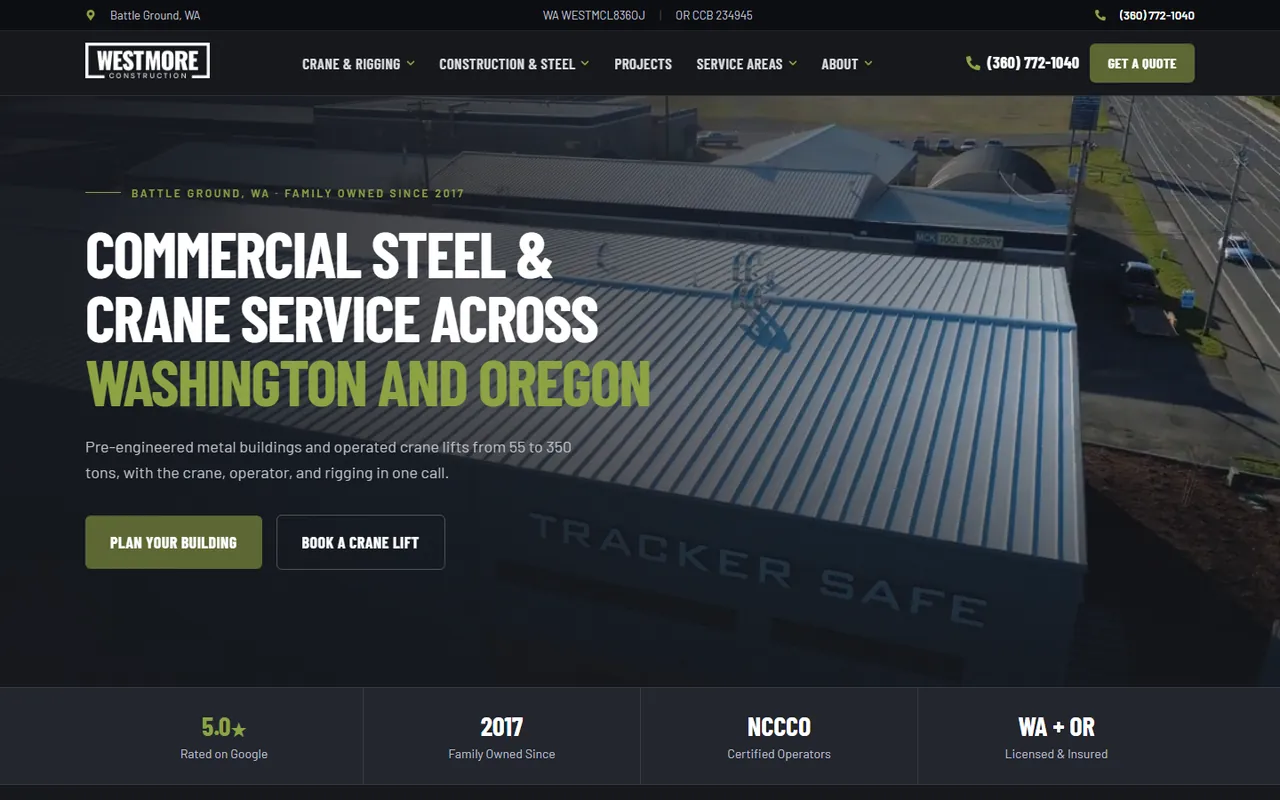
Westmore Construction builds commercial steel buildings and runs a crane and rigging division in Washington and Oregon. Its old site had 15 pages. We rebuilt it with 85 pages plus nine guides, in native Elementor so the team can edit every page.
Two features translate straight to a manufacturer. First, the hero gives each division its own button, plan a building or book a crane lift, so two very different buyers each find their door in the first screen. A manufacturer with machining and finishing divisions, or OEM and one-off work, can split the same way. Second, the nine guides answer the questions business buyers research before they call, which builds trust and gives the site a shot at long, specific searches.
Westmore also puts its operator certifications and state licensing in a strip under the hero, and labels each project by building type and city.
- One button per division in the hero
- Guides that answer pre-purchase research
- Certifications in a strip under the hero
Example three: B2B service with a customer portal
Greenlight Titles builds the site around how its buyers buy.
Greenlight Titles, based in Eugene, Oregon, handles vehicle title and registration work nationwide for auto dealers, corporate fleets and lienholders. Its old GoDaddy site could not even run tracking code. We moved it to a WordPress site built around how dealers buy.
The services section has a separate block for each kind of business buyer, each with its own photo and explanation. A five-step process shows exactly how a deal moves from submission to tracked status. The header carries a login and sign-up button for the customer portal, and those logins kept working through the switch. Every form feeds straight into Salesforce, and there is a page for every state.
For a manufacturer, the lessons are direct. Write a section for each buyer type, such as OEMs, distributors and end users. Connect the RFQ form to the CRM your sales team already lives in. If repeat customers log in to check orders, keep that portal one click from every page.
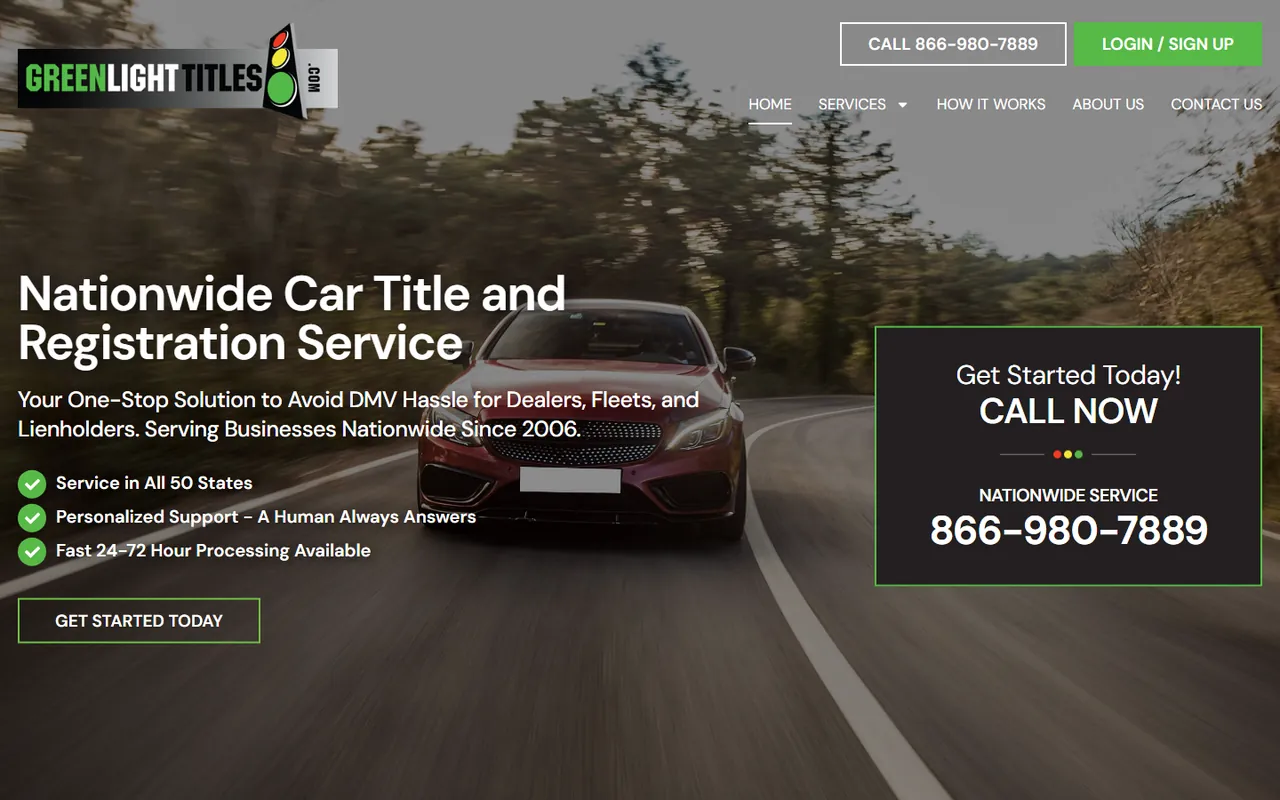
- A section for each type of business buyer
- Forms that feed your CRM
- Customer portal login in the header
The checklist
Features every manufacturing website needs.
A page per capability
Each process, from machining to coating to assembly, gets its own page with the materials, sizes and tolerances you handle.
Industries served
A short section or page per industry, with a real part and the process used on it.
Certifications and quality
Name each certification, what it covers and how your inspection works.
An RFQ form with file upload
Fields for process, material, quantity and timeline, plus a place to attach drawings.
Routing to the right person
Machining RFQs go to the machining estimator, not a shared inbox behind job applications.
Pages your team can update
When you add a machine or a certification, your staff can add it the same day without a developer.
A quote can take weeks or months to become a purchase order, so tracking matters more here than in most trades. Lithium sets up GA4 and call tracking on every build, which lets you connect an order back to the search or page that started it.
Cost and what to prepare
What a manufacturing website costs and what to bring.
A Lithium manufacturing website is typically $5,000 and takes six to nine weeks from kickoff to launch. Sites with CRM integrations, customer portals or a long list of capability pages get a fixed proposal after a 30-minute discovery call. You own the domain, the hosting account, the WordPress install and the content. Optional hosting and maintenance is $99 a month for secure hosting, daily backups, software and security updates and basic changes.
Bring your equipment list, the materials and tolerances you work to, your certifications, a folder of part photos you are allowed to show and the name of whoever prices each kind of job. Have that person review the capability pages before launch. They know which details a buyer asks about on the first call. The manufacturing marketing page covers SEO and ads for manufacturers, and the web design service explains the build process.
