

What good looks like
The best construction websites sell the next job, not the company history.
The best construction company websites show the work you want more of, name each service in plain words and put an estimate request one tap away. That sounds obvious. Most contractor sites still open with a stock photo of a hard hat, a paragraph about values and a contact page buried in the menu.
The four examples below are sites Lithium designed and built: a commercial steel and crane company, a paving contractor, a new-construction home seller and a glass company. Each one sells a different kind of project to a different buyer, so each one solved the same three problems in its own way. Who is this site for? What does this company build? What do I do next?
For every example you get the screenshot, what the site does well and the parts worth copying for your own company. None of it depends on a big budget. It depends on knowing which jobs you want and saying so on the page.
Example one: commercial steel and crane service
Westmore Construction gives each division its own front door.
Westmore Construction builds commercial steel buildings and runs crane service out of Battle Ground, Washington. Its old site had 15 pages for a company with two divisions and three lines of work: general construction, steel buildings and crane service. We rebuilt it with 85 pages plus nine guides, in native Elementor so the Westmore team can edit any page themselves.
The hero answers the scale question in one line, Washington and Oregon commercial steel and crane work, and then offers two buttons: one to plan a building and one to book a crane lift. A developer and a contractor needing a lift land on the same homepage and each finds their own next step in the first screen. The hero video is cut from Westmore’s own drone and steel-erection footage, so the first thing a buyer sees is the crew doing the job.
Further down, a “projects you can drive past” row labels each job with its city and building type. The crane section asks callers for the load weight and the address so the lift can be priced on the first call. Behind the scenes we cleaned up 175 redirects so links to the old pages still land, and added location pages from Seattle to Salem.
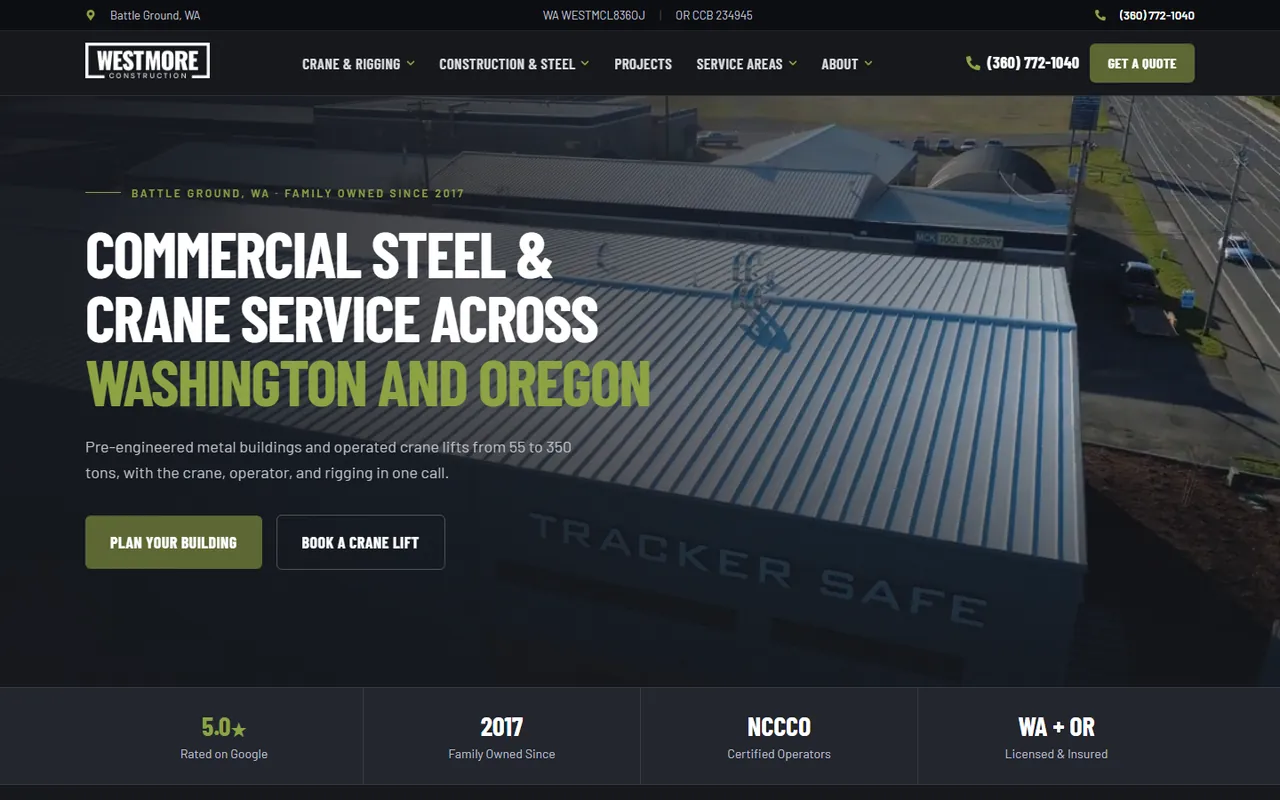
- One button per division in the hero
- Projects labeled with city and building type
- Tell callers what to have ready for a quote
Example two: paving and sealcoating
Porter Paving puts the estimate form beside the work.
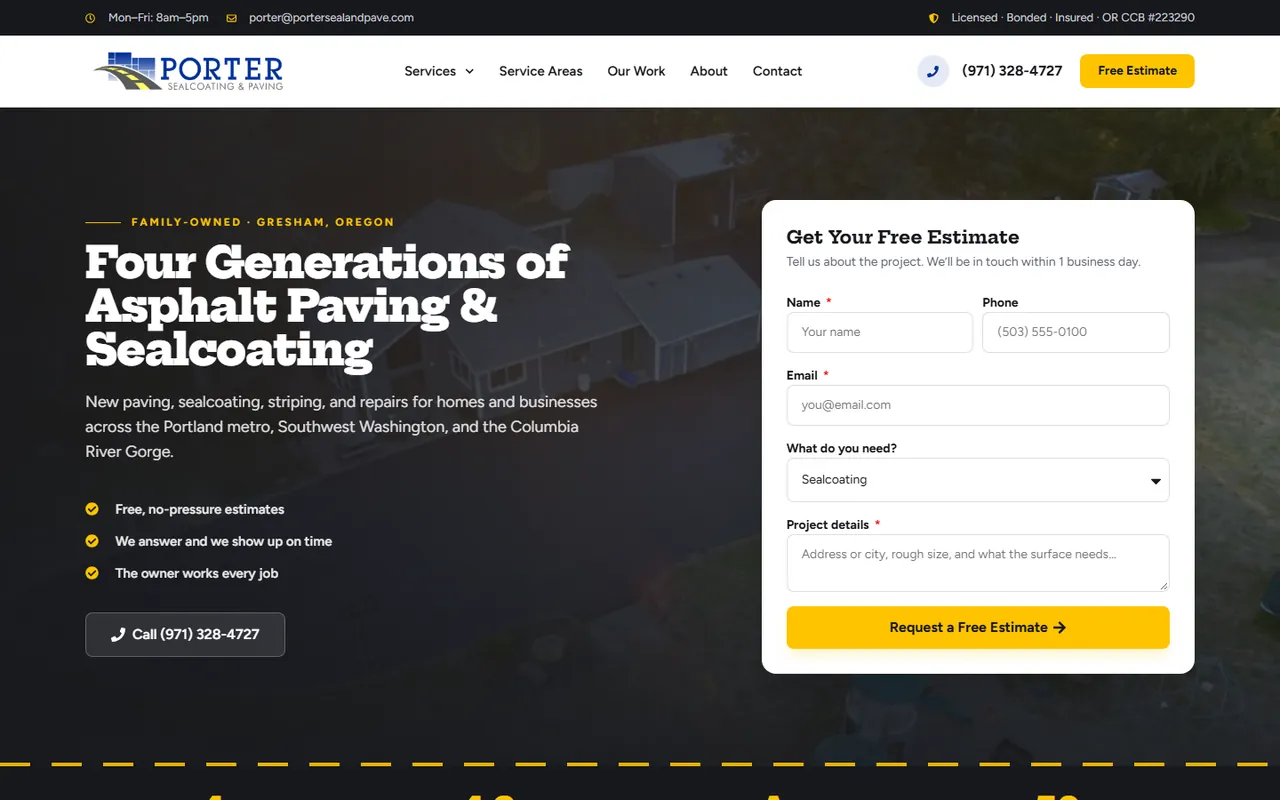
Porter Sealcoating & Paving is a four-generation paving company in Gresham, Oregon. Its homepage plays Porter’s own drone video as the hero and puts the estimate form right beside it. The form asks for the service from a dropdown and prompts for the address and rough size of the surface, which is exactly what the estimator needs to call back with a number.
Under the headline sit three plain promises in the owner’s words: free estimates, the crew shows up on time and the owner walks every job. Further down, before-and-after sliders show real Porter driveways and parking lots, a five-step section explains everything from the first call to fresh blacktop, and a separate block speaks to parking lots, HOAs and property managers. Homeowners and commercial buyers each get proof that matches their job.
The rebuild redirected 163 old URLs so existing rankings carried over, and added 52 city pages across seven regions. It went from research to launch in about three weeks.
- An estimate form in the first screen
- Before-and-after photos of your own jobs
- A section written for commercial buyers
Example three: new home communities
Northwest New Homes lets buyers pick the lot before they call.
Northwest New Homes sells new-construction communities in Oregon and Southwest Washington from its base in Sandy, Oregon. A home buyer’s questions are specific: which community, which builder, how much and which lots are left. The site answers all four.
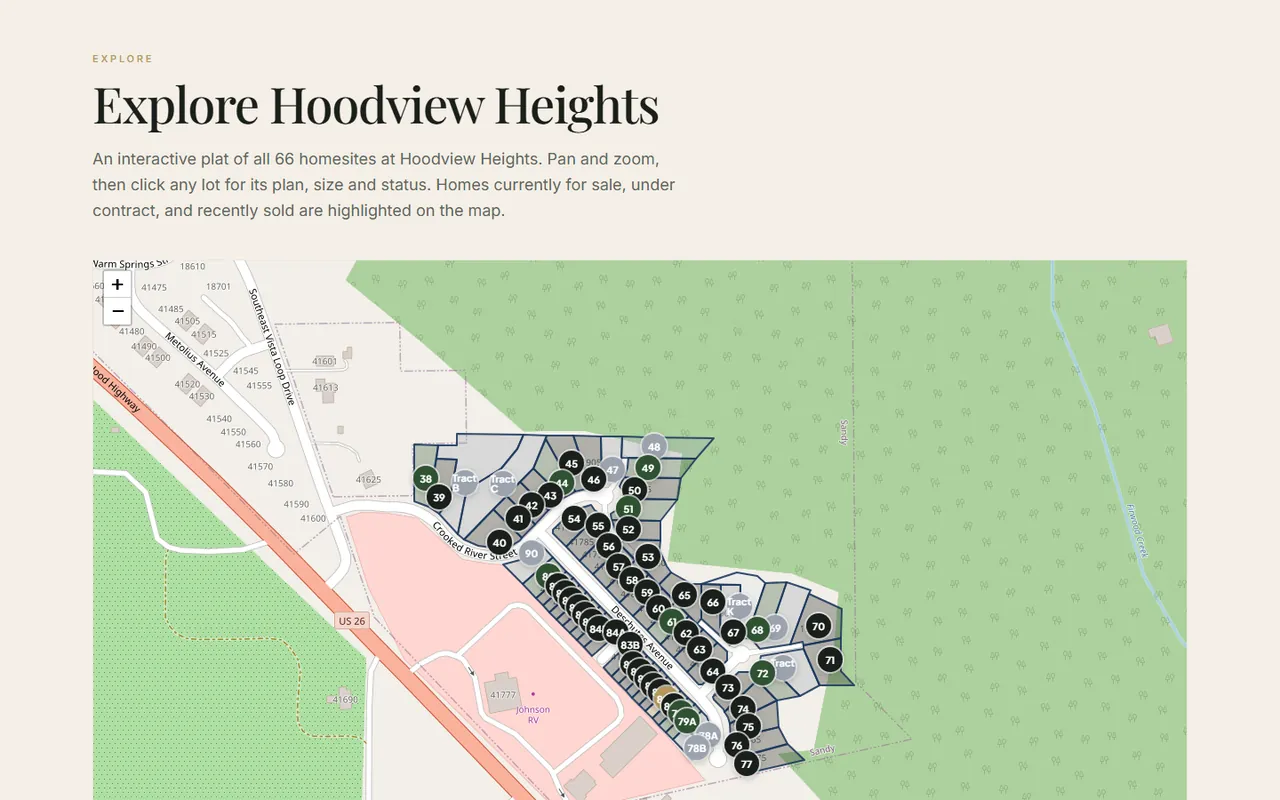
Each community card shows a starting price, the town and the builder. Inside, a clickable plat map we built from scratch draws every homesite from real county parcel boundaries. Click a lot and you see its status, price, size, beds, baths and floor plan, and the sales team updates lots right from WordPress. Live MLS listings run on every community page, and builder profiles explain who builds each home.
The two calls to action in the hero are schedule a tour and request pricing. Those are the two things a serious buyer wants, so the site asks for nothing else.
- Price and availability on the page
- A tool that answers the buyer’s next question
- Content your own team can update
Example four: residential and commercial glass
Dixie Glass speaks to homeowners, businesses and contractors at once.
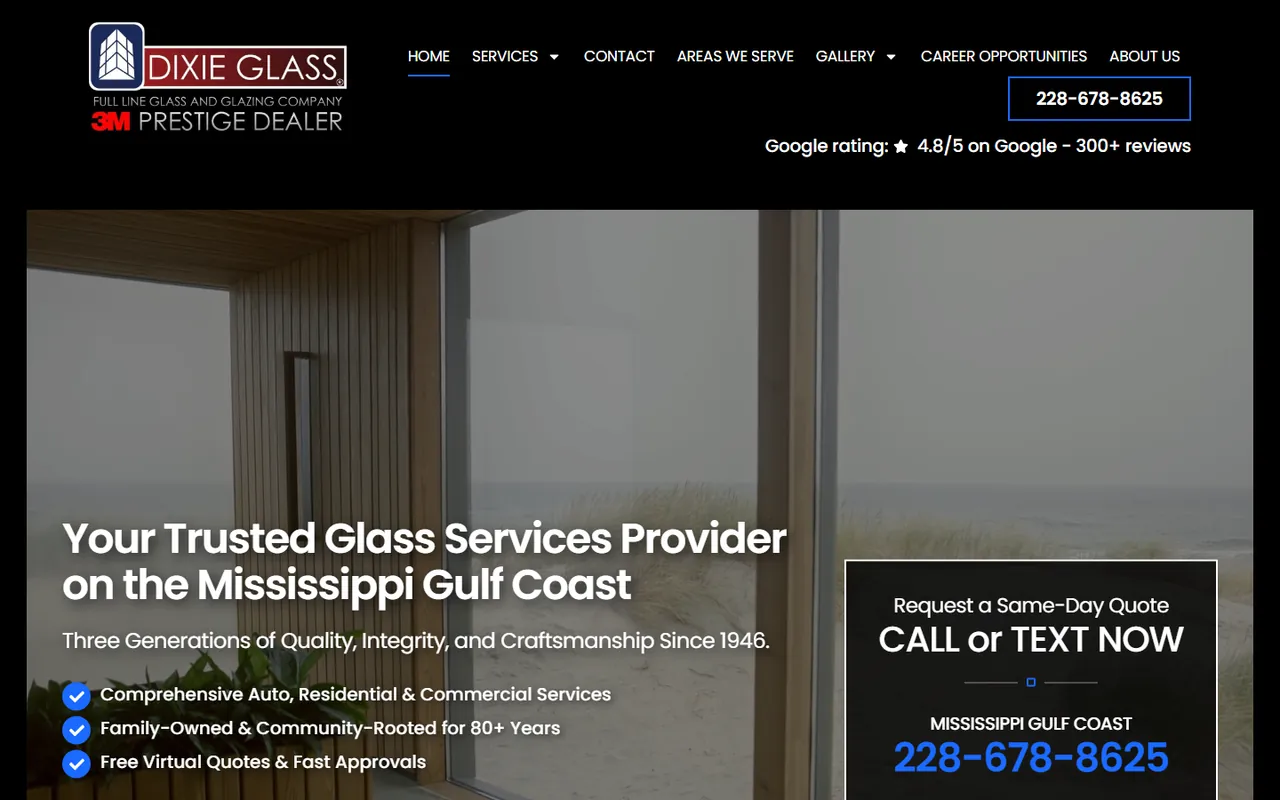
Dixie Glass serves Gulfport, Biloxi and Pascagoula on the Mississippi Gulf Coast. Lithium replaced its Wix site with a 58-page WordPress build. Glass work spans auto glass, shower doors, storefronts and custom cutting, so the homepage splits services into separate cards for each kind of buyer.
The hero offers a free virtual quote and, beside it, a box that says call or text now for a same-day quote, with the number in large type. A contractor on a jobsite and a homeowner at a desk both get a fast option. A three-step process section then explains what happens after the first contact.
Dixie Glass also runs Google Ads and SEO with Lithium. Together with the new site, that program produced 76% more Google Ads conversions in one January compared with the January before. Read the Dixie Glass case study
- Separate service cards for each buyer type
- Call, text and online quote options side by side
- A short process that removes the guesswork
What all four have in common
Three patterns to copy on your own site.
Strip away the colors and the trades, and the four sites share a backbone. Each one leads with real footage or real photos of the company’s own work. Each one sorts visitors by the kind of project they have before asking them to do anything. And each one makes the next step obvious on a phone, because many owners, property managers and superintendents first find a contractor from a truck or a jobsite.
Copy the pattern, not the page count. Westmore needed 85 pages because it sells three lines of work across two states. A remodeler working one county might need fifteen good pages and a strong projects section.
Show your own work
- Drone or crew footage in the hero
- Projects labeled by city and type
- Before-and-after photos of real jobs
Sort by buyer
- One button per division or service
- A section for commercial buyers
- Pages for each area you work
Make the ask easy
- Estimate form in the first screen
- Tap-to-call on every page
- Tell people what to have ready
Mistakes we fix most often
What to leave off a construction website.
Stock photos of other people’s jobs
Buyers can spot a stock hard hat in a second, and it tells them you have nothing of your own to show. A phone photo of your crew on a real site beats a polished stranger.
One page that lists every service
A single “Services” page with fifteen bullet points ranks for none of them. Give each service you want more of its own page with photos, scope and a quote button.
A gallery with no captions
Forty unlabeled photos make a buyer guess what you built and where. Name the project type, the city and your role on each one.
Throwing away old URLs
A redesign that drops old pages without redirects can lose the rankings the old site earned. Westmore and Porter each kept theirs with a full redirect map.
A Lithium construction website is typically $5,000, takes six to nine weeks from kickoff to launch and belongs to you: the domain, the hosting account, the WordPress install and the content. Larger sites with several divisions or integrations get a fixed proposal after a 30-minute discovery call. Optional hosting and maintenance runs $99 a month and covers secure hosting, daily backups, updates and basic changes.
For the planning side, read our guide to contractor website design or see how the site fits into SEO and ads on the contractor marketing page .
