

The short answer
Eight things every contractor website needs.
A contractor website needs a page for every service you sell, real photos of your own projects, the areas you work, proof a buyer can check, and a tap-to-call button plus a short estimate form on every page. Everything else is decoration. If your site has those pieces and loads fast on a phone, it can win work. If it is missing two or three, a better-organized competitor gets the call.
Here is the full list. The sections after it go deeper on each one, with screenshots from contractor sites Lithium designed and built.
A headline that names the work
Say what you build and where in the first line: “Asphalt paving and sealcoating in the Portland metro” beats “Quality you can trust.”
A page for each service
Every service you want more of gets its own page with photos, scope and a quote button.
Your own project photos
Real jobs, labeled with the project type and the city. No stock hard hats.
The areas you work
Name your towns and regions, with location pages where you have enough to say.
Proof a buyer can check
License numbers, reviews, warranties and certifications, each one specific.
An estimate form on every page
Short, mobile-friendly and asking only what your estimator needs.
Tap-to-call in the header
Phone visitors want to call. Keep the number one tap away on every screen.
Fast, trackable pages
Pages that load quickly on a phone, with calls and forms tracked so you know what works.
Service pages
Name the work before you talk about the company.
Put your main project types in the top menu and give each one its own page. A buyer should never have to decode a gallery to learn whether you handle commercial steel, paving, kitchen remodels or roof replacements. Google works the same way: it ranks a page for the search it answers best, so a page about decks can rank for “deck builder” in your town and a page about everything ranks for nothing in particular.
A strong service page answers the questions a buyer asks before calling. What does the job include? Who is it for, homeowners, property managers or general contractors? Which towns do you cover? What does the process look like, and how do I get a price? Close with photos of that exact service and a quote button.
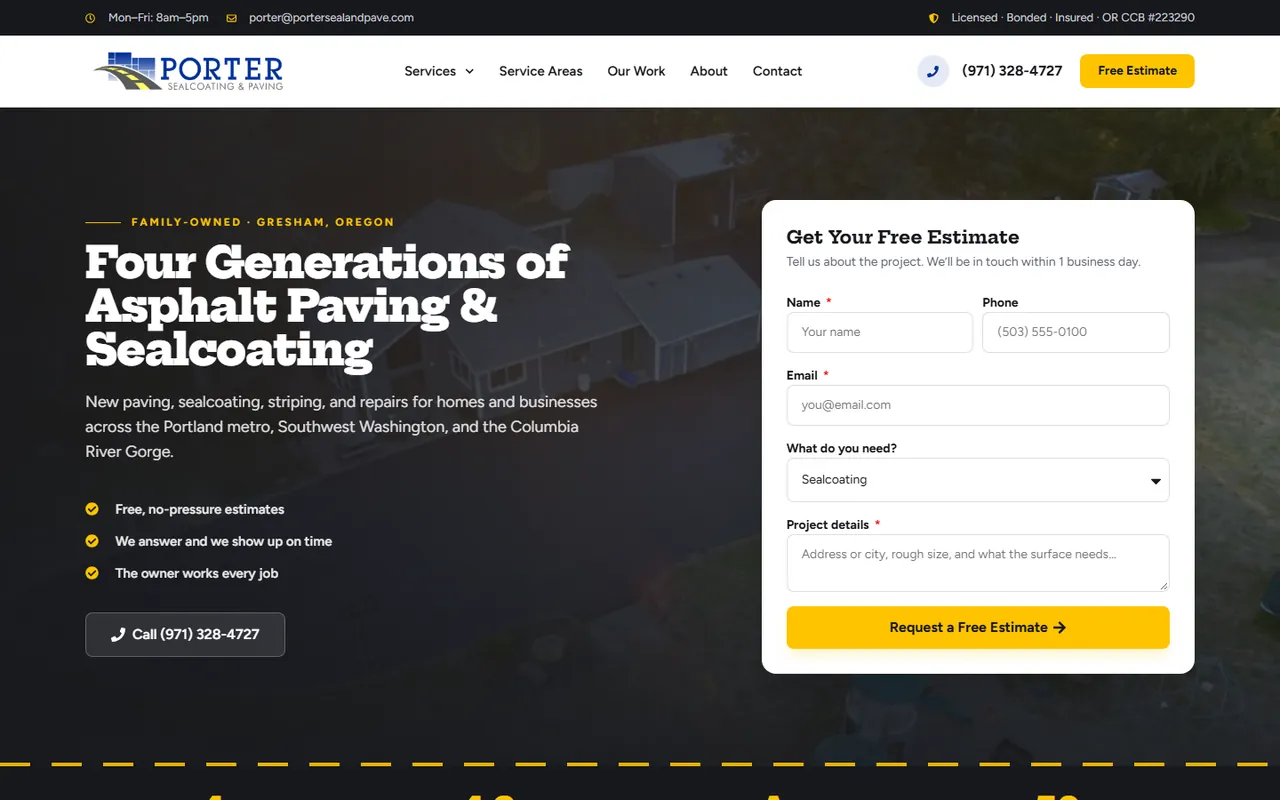
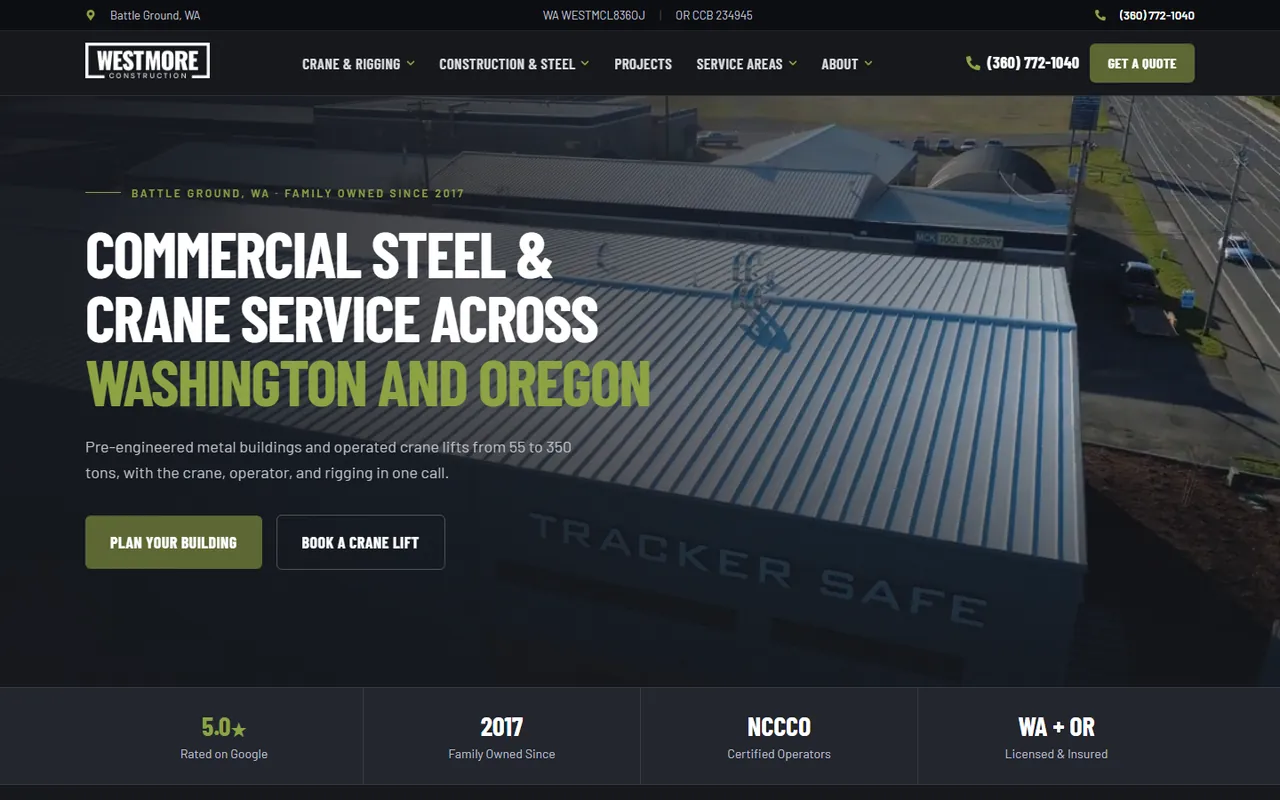
Westmore Construction’s site gives each of its two divisions its own section and its own hero button, one to plan a building and one to book a crane lift. Westmore’s rebuild also added location pages from Seattle to Salem, and Porter Paving’s has 52 city pages across seven regions. Both match where those crews work. Build location pages for the places you serve and have something specific to say about, and skip the copy-and-paste city pages.
- What the job includes and what it does not
- Who the service is for
- The towns and regions you cover
- Your process from first call to finish
- Photos of that service and a quote button
Project photos
Show the jobs you want more of.
Your photos do more selling than your copy. Lead with the type of project you want to win next, not the one you happen to have the best picture of. A remodeler who wants more whole-kitchen jobs should open with kitchens, not the bathroom from three years ago.
Label every project: the job type, the city and your role on it. “Commercial warehouse, Vancouver, WA, general contractor” tells a buyer far more than an unlabeled shot of a roofline. Westmore’s homepage calls its project row “projects you can drive past”, with each card naming the city and building type. Porter Paving runs before-and-after sliders built from its own driveways and parking lots.
Video works too. Both Westmore and Porter open with their own drone footage, so the first five seconds on the site show the crew doing the job. If you shot it on a phone, that is fine. Real beats polished.
The estimate request
Make asking for a price the easiest thing on the page.
Put a phone button in the header and a short estimate form on every service page. Ask for the project type, the address or town, a short description and the best way to reach the person. That is enough for a first call back. Every extra required field costs you requests, so save the detailed questions for the estimator.
Porter Paving puts its form right beside the hero video, with a dropdown for the service and a prompt to describe the address and rough size of the surface. Gloudeman Electric, a residential electrician we built for, takes it further: its quote form accepts photos, so a homeowner can snap the panel or the outlet and get a free remote quote. For a trade where a picture tells the estimator most of what they need, that one feature saves a site visit.
Before launch, send a test request from a phone and a laptop and check who receives it. A great page cannot fix a form that lands in an inbox nobody reads. Lithium’s builds include GA4 and call tracking, so you can see which pages produce calls and forms after launch.
Phone
- Tap-to-call in the header
- The same number everywhere
- Call tracking on the site
Form
- Four or five fields
- A service dropdown
- A clear thank-you message
Photos
- Optional photo upload
- Faster remote quotes
- Fewer wasted site visits
Trust signals
Give buyers proof they can check.
A homeowner letting a crew into the house, or a property manager signing a five-figure contract, wants to know you are licensed, insured and good at the job. Put your license number where they can see it. Show your Google rating and link to the reviews. Name your certifications and say what they mean. If you offer a warranty, state the term in plain words.
Westmore shows its certified crane operators and its Washington and Oregon licensing in a strip right under the hero. Porter lists its license number and puts a real Google review beside its commercial section. Specific beats impressive: “Licensed in Oregon, CCB number on every page” builds more trust than “award-winning service.”
Put a face on the company, too. An about page with the owner’s photo and a short story tells a buyer who will show up. Our guide to website trust signals covers the full list.
Speed, search and tracking
The parts buyers never see but Google does.
A slow site loses phone visitors before the page finishes loading. Lithium builds every contractor site to Google’s Core Web Vitals targets: the main content loads in under 2.5 seconds, the page responds to a tap in under 200 milliseconds and nothing jumps around while it loads.
Each site also ships with schema markup that tells Google your business name, services and service area, an llms.txt file for AI search tools, GA4 analytics and call tracking. When you change an old site, every old URL gets a redirect so the rankings you earned carry over. Westmore’s rebuild cleaned up 175 redirects and Porter’s redirected 163 old URLs.
Cost, timeline and ownership
What a contractor website costs and what to ask first.
A Lithium contractor website is typically $5,000 and takes six to nine weeks from kickoff to launch. Larger sites with many services, regions or integrations get a fixed proposal after a 30-minute discovery call. You own the domain, the hosting account, the WordPress install and the content, and you get a private Loom walkthrough at handover. Optional hosting and maintenance is $99 a month for secure hosting, daily backups, software and security updates and basic changes.
Whoever you hire, ask these questions before you sign. Our website cost guide goes deeper on budgeting, and the contractor marketing page shows how the site works with SEO and Google Ads.
Ownership
- Who owns the domain?
- Can I move hosts later?
- Do I get every login?
Scope
- How many service pages?
- Who writes the copy?
- Are redirects included?
After launch
- Is call tracking set up?
- Who makes updates?
- What does it cost monthly?
