

What good looks like
Your best project photo is your best salesperson.
The best landscaping websites lead with photos of the company’s own finished projects, give each service its own page, split design-build work from maintenance and make the estimate request easy on a phone. Landscaping is a visual sale. A homeowner picturing a new patio wants to see patios you built, in yards that look like theirs.
It is also a seasonal sale. Spring brings a rush of cleanup and planting requests, summer is for hardscapes and irrigation, fall is leaf removal and planting again. A good site keeps a permanent page for each of those and changes what the homepage features as the season turns.
Below are two landscaping sites Lithium built: Drake’s 7 Dees, a garden center and landscaping company, and Smart Services, a landscaping contractor in the Portland and Vancouver area. After them come ideas borrowed from our other outdoor builds and a checklist for your own site.
Example one: garden center and landscaping
Drake’s 7 Dees serves two kinds of visitor from one menu.
Drake’s 7 Dees runs a garden center and a landscaping business. That means two very different visitors: someone shopping for plants this weekend, and someone planning a water feature or a new backyard. The top menu splits them on the first screen, with separate Garden Center and Landscaping menus, a services menu and a payment button for existing customers.
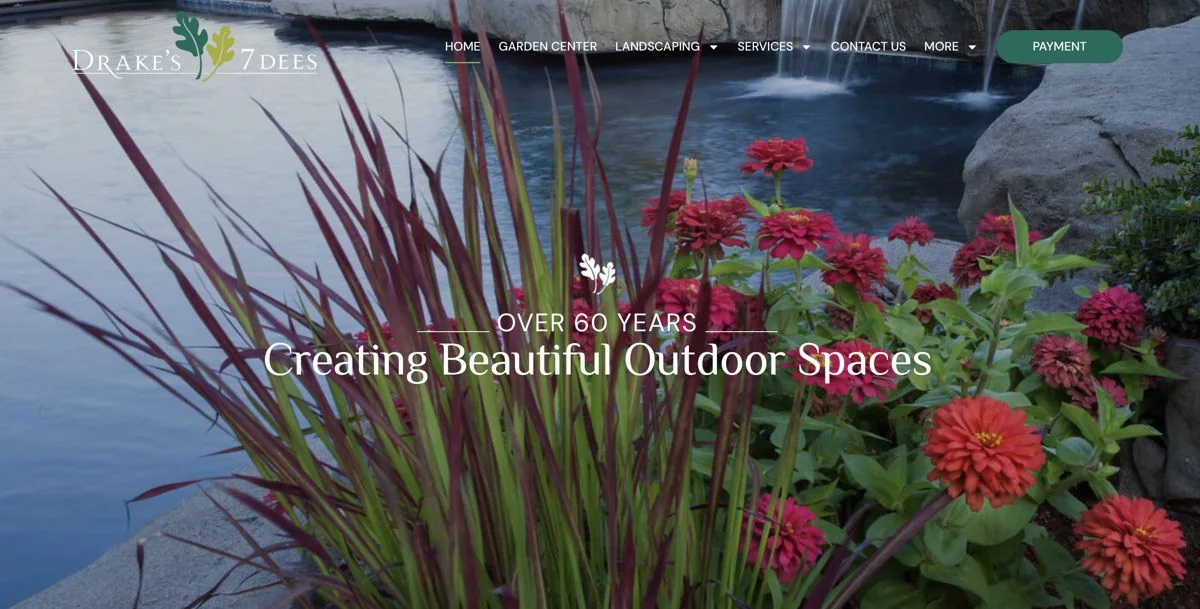
The hero uses Drake’s own work, a stone water feature framed by bright plantings, under a single line about creating beautiful outdoor spaces. No stock photo could sell a backyard design the same way, because the visitor knows this is a real project by this company.
Lithium handled the website, SEO and Google Ads together. That program produced 380% more organic traffic in one year, 744 leads in 60 days and a 26.4% Google Ads conversion rate. Read the Drake’s 7 Dees case study
“Lithium has moved us to page 1 in Google search organically. Prior to working with them we spent a huge part of our marketing budget on paid search. Website redesign was a great experience.”
 Drake SnodgrassDrake’s 7 Dees
- Split retail and project work in the menu
- Lead with your own finished project
- A payment button for existing customers
Example two: landscaping contractor
Smart Services gives each kind of project its own starting point.
Smart Services serves the Portland and Vancouver areas with landscaping design, construction and maintenance. Its Lithium-built website names the individual services customers search for, including patios, retaining walls, irrigation and seasonal cleanups, and links each one to its own page. A homeowner looking for a retaining wall starts on the retaining wall page. They never have to wonder whether a broad “landscaping services” list covers it.
Those separate pages also do the SEO work. Someone searching for a retaining wall contractor and someone searching for irrigation repair are different customers with different searches, and each now has a page built to answer that search.
The homepage pairs a free-estimate request with a three-stage process: consultation, design and proposal, then execution. That one block answers the question every design-build customer has, which is what happens after I ask for an estimate. Name the work customers ask for, then explain how a request turns into a signed project.
- A page for each service customers search
- A free estimate offer on the homepage
- Three steps from estimate to finished project
Ideas from our other outdoor builds
Two features landscapers should steal.
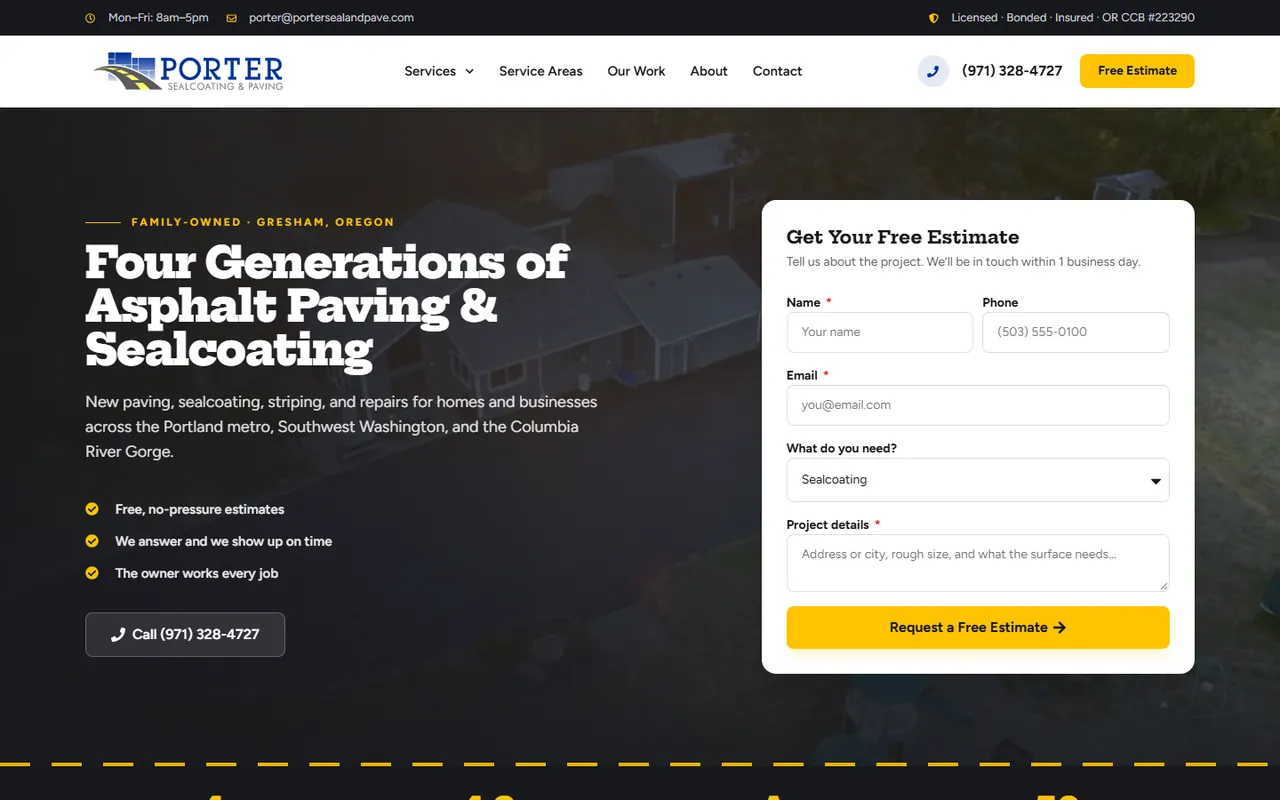
Before-and-after sliders. Porter Sealcoating & Paving, a Gresham paving company we built for, shows its jobs as before-and-after photos with a drag handle in the middle. Drag left and right and you watch a cracked lot turn into fresh blacktop. A yard makeover is even more dramatic. If you shoot every job from the same spot before and after, you have the material.
A quote form that takes photos. Gloudeman Electric’s quote form accepts up to five photos, so a homeowner can show the problem and get a remote quote. For a landscaper, photos of the yard, the slope or the dead lawn tell you whether the job fits before anyone drives out. Porter’s form does a version of this in words, prompting for the address and rough size of the area.
Your checklist
What every landscaping website needs.
Captioned project photos
Your own work, labeled with the project type and town: “Paver patio and fire pit, Vancouver.”
A page for each service
Design, hardscapes, retaining walls, irrigation, lawn care, cleanups: each one gets a page and a quote button.
Seasonal pages that stay up
Spring cleanup and fall leaf removal pages stay live all year and rank when the season comes back.
The towns you serve
Name them, and add town pages where you have projects to show.
An estimate form with photos
Project type, town, timing and optional photos. Keep it short enough to finish on a phone.
Reviews and a real team
Your Google rating, a few reviews and a photo of the crew that will show up.
Seasonality
Build the site for the busy season, before it starts.
Landscaping demand rises and falls with the weather, so the site has to be ready before the phones get busy. Launch or refresh it in the off-season. Make sure each seasonal service page is live and has been indexed by the time homeowners start searching. Then point Google Ads at those same pages when demand ramps up, and pull spend back when your crews are booked out.
Organic traffic is the part that keeps working through the slow months, and it compounds year over year as your pages collect rankings and reviews. Our guides to SEO for landscapers and Google Ads for landscaping companies go deeper on both.
Cost and timeline
What a landscaping website costs with Lithium.
A Lithium landscaping website is typically $5,000 and takes six to nine weeks from kickoff to launch. Larger sites, such as a garden center with a big product catalog, get a fixed proposal after a 30-minute discovery call. You own the domain, the hosting account, the WordPress install and the content. Optional hosting and maintenance is $99 a month for secure hosting, daily backups, software and security updates and basic changes, such as swapping the homepage feature when the season turns.
Bring your best project photos, your list of services and the towns you cover. See the web design service for the full process, or the landscaping marketing page for how the site works with SEO and ads.