
AI reception and automation for Madison businesses
An AI receptionist for Madison calls that need an answer.
Keep Madison service calls moving with an AI receptionist that answers 24/7, records the request and helps customers book.
- Caller questions answered anytime
- Appointment and follow-up support
- Call recordings for review
Calls start with a search
Searches for local trades in Madison each month
5,430
searches a month
- plumber madison1,600
- pest control madison1,000
- roofing company madison880
- garage door repair madison720
- electrician madison590
- landscaping madison590
Source: Google Ads keyword data, average monthly U.S. searches. "Under 10" = below Google’s reporting floor.
 Google PartnerView our Partners listing
5.0on Google · read our reviews
Google PartnerView our Partners listing
5.0on Google · read our reviews
Businesses
we’ve worked with
Businesses we’ve worked with
- Willard Power Vac
- Sarkinen Plumbing
- Robinson Restoration
- Town & Country Glass
- Dixie Glass
- Byers Septic Service
- F&W Fence Co.
- Drake’s 7 Dees
- Rickabaugh Construction
- Hillsview Building
- Dozer Dave
- Mt. Hood Pro Painting
- On-Target Landscape
- Atiyeh Bros Carpet
- Lovett
- Westmore Construction
- Northwest New Homes
- Porter Sealcoating & Paving
- RescueHero Restoration
- Panda Plumbing
- Biermann Plumbing & Heating
- Ballistic Junk Removal
- Smart Doors LLC
- Peak Performance Roofing
- Deluxe Heating & Cooling
- Lifetime Exteriors
- Bruce Johnson Construction
- Madrone Painting
- Smart Tree Service
- Premier Gutter Cover
- NW Pacific Electric
- Universal HVAC
- Lenny Martin Painting
- Next Level Decks & Exteriors
- Prodan Construction
- Smooth Rollin’ Sealcoating and Paving
- Lovett Restoration
- Greenlight Titles
- G.W. Hartley IV
- Advanced Coatings
- Thomson Equipment
- MyADU
Make the call count
Madison AI services begin with the customer on the phone
Lithium Marketing provides managed AI reception and custom automation to help Madison service businesses handle calls and administrative tasks. The average paid click for 'garage door repair madison' costs $47.03. If that visitor calls, your business needs to be ready to explain the service and receive the request.
The AI receptionist answers every call around the clock using information you supply. It can qualify the caller, book an appointment, send a follow-up text or transfer to a real person. We work through your service questions and confirm calendar or CRM compatibility before agreeing how booking will work. Automation beyond reception gets a separate scope.
Paid traffic can become a phone call
Receive the details needed to take the next step
The 'water damage restoration madison' phrase averages $39.09 per paid click. A restoration caller may need to explain the affected property and ask what happens next. The receptionist can collect those details and follow your instructions for involving a person, without improvising technical advice.
When a caller describes a repair problem, the opening questions should capture what they have noticed and where service is needed. They should not have to diagnose a fault to start the conversation. We prepare questions that your customers can answer in their own words, leaving technical decisions to your team.
| Search | Cost per click |
|---|---|
| garage door repair madison | $47.03 |
| water damage restoration madison | $39.09 |
| roofing company madison | $28.66 |
| hvac repair madison | $22.55 |
| plumber madison | $21.77 |
| electrician madison | $16.24 |
| pest control madison | $13.84 |
| landscaping madison | $5.17 |
Source: Google Ads keyword data, average monthly U.S. searches. "Under 10" = below Google’s reporting floor.
- Map Pack
- The first thing on the page
- Search ads
- None recorded
- Local listing reviews
- 946 to 2,000 Google reviews each
- Directories in the top 10
- Better Business Bureau, HomeAdvisor, Reddit, Yelp
- AI Overview
- Not shown
- People also ask
- Shown
Source: one Google results page for “plumber madison”, as Google showed it to a searcher located in Madison. Search ad counts exclude sponsored local listings. Results shift by searcher and day.
Property and location questions
Get enough detail to recognize the right next step
Owners occupy 46% of the occupied housing in Madison city. Reception should allow for homeowners, tenants and property managers: ask who is arranging the work and what contact details your team needs. A caller's role can change the follow-up even when the repair request sounds familiar.
Downtown Madison sits between Lake Mendota and Lake Monona. An area description can help begin a call, but the service address is what your team needs to check coverage. We include your coverage details in the receptionist's knowledge and test requests from inside and outside that territory.
- residents (2025 estimate)
- 286,233
- residents (2025 estimate)
- population change, 2020 to 2025
- +4.2%
- population change, 2020 to 2025
- housing units
- 133,530
- housing units
- of occupied homes owner-occupied
- 46%
- of occupied homes owner-occupied
- of homes built before 1980
- 50.6%
- of homes built before 1980
- median home value
- $372,900
- median home value
Sources: U.S. Census Bureau 2025 population estimates, ACS 2020–2024 and 2023 County Business Patterns.
Repair requests and planned projects
Set different questions for different kinds of jobs
Dane County has 128 plumbing, heating and air-conditioning establishments. For a business in those trades, the phone rules should distinguish a request needing a person from a routine scheduling question. Define the situations your team wants to handle directly and the information it needs with the transfer.
Residential remodeling businesses number 233 in Dane County. An estimate request calls for a project description and the customer's preferred timing. Other project trades may need similar details; each company should choose its own questions so callers get help without a long, generic interview.
County Business Patterns
Trade and home service businesses in Dane County
Establishments by industry, 2023
- Landscaping services241
- Residential remodelers233
- Electrical contractors133
- Plumbing, heating and air-conditioning contractors128
- New home builders96
- Painting contractors79
- Roofing contractors44
- Excavation and site preparation contractors38
Source: U.S. Census Bureau, 2023 County Business Patterns (NAICS establishment counts).
A setup you can call and test
Teach the receptionist how your business handles requests
Start with the answers and decisions your team already uses, then test the conversation before relying on it.
Bring examples of incoming calls
We discuss the questions you hear, what an appointment means for your business and which requests need human judgment.
Prepare the knowledge and voice
Your service information becomes the receptionist knowledge base. You select a natural AI voice and review the answers callers will hear.
Check booking and transfer connections
We verify calendar and CRM compatibility, agree on a supported booking connection and test transfers to the person you designate.
Listen for missing or confusing answers
Recordings and transcripts let us review how requests were handled and revise the questions or business information that need attention.
What the AI receptionist does on every call
The same eight parts go into every AI receptionist setup, wherever the business is.
- Answers every call, 24/7
- Qualifies the lead
- Books the appointment
- Answers common questions
- Sends follow-up texts
- Captures every detail
- Transfers to a real person when needed
- Connects to your CRM and calendar
Reception and custom phone automation
See how service businesses use these systems
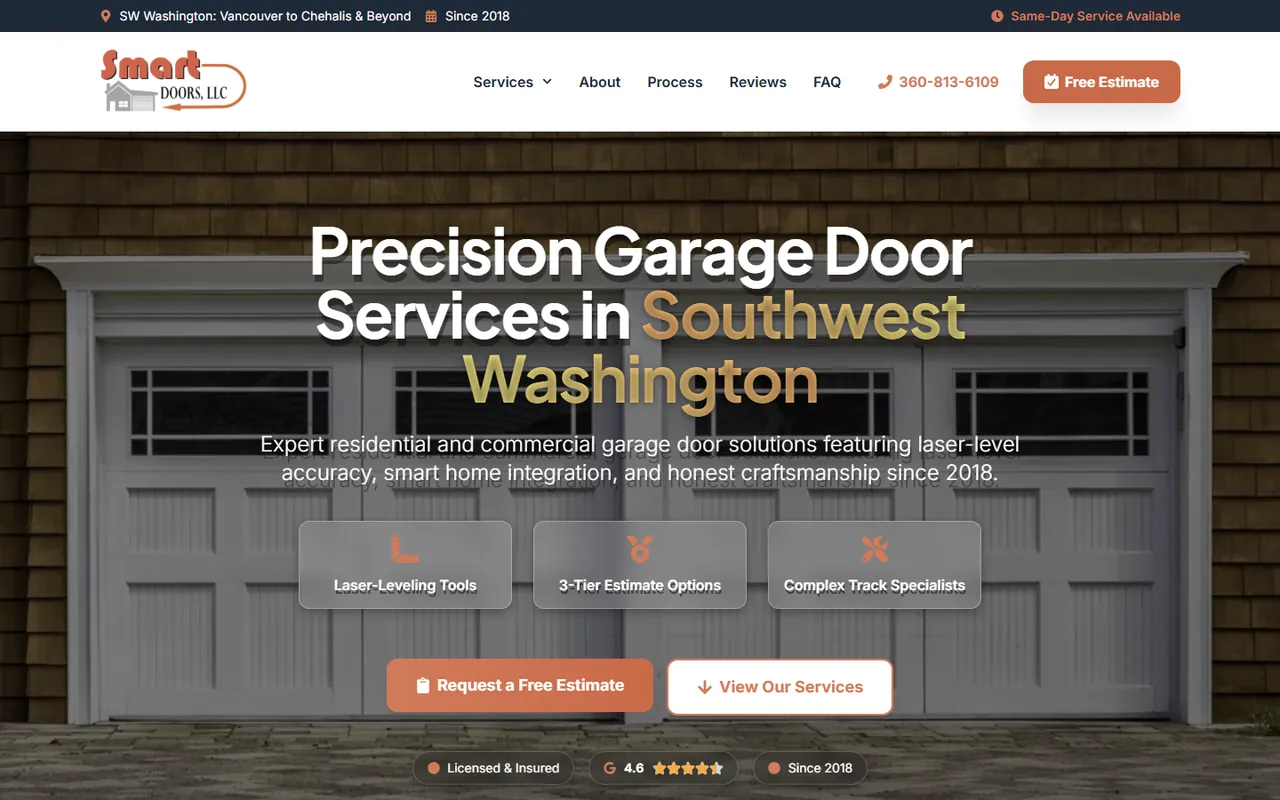
A website built by Lithium came first for Smart Doors LLC; the garage door business later added our AI receptionist to its phones. The separate plumbing project uses a custom AI phone system: urgent requests prompt an SMS to the on-call technician, while non-emergency jobs can be booked.
AI phone project, plumbing company
3x
more leads
Call coverage follows your business
Keep the receptionist’s service area as specific as yours
Our linked AI guides cover other Wisconsin markets, including Waukesha and Kenosha, as well as Rockford and Elgin in Illinois. Use the Wisconsin collection to explore further cities, then give the receptionist only the territory and services your business offers.
Published price
Managed reception has a price; custom workflows need a scope
$179
per month, fully managed
No contract and no setup fee, so you can cancel anytime. The voice, knowledge base, call rules and calendar and CRM hooks are all set up by Lithium. Custom AI automation is scoped after a free discovery call.
FAQ
Putting AI on your service business phone line

Still curious?
Call (503) 766-5964 or email [email protected].
Does the receptionist price include a setup charge or contract?
The AI receptionist costs $179 a month with no contract or setup fee, and you can cancel anytime. That offer covers managed reception. If you also want custom automation, such as document processing or a separate follow-up workflow, we define and quote that project after a free discovery call.
Can the system hand a call to my team?
The receptionist can transfer a caller to a real person. During setup, we decide which questions should trigger that handoff and test the connection. It can also handle routine service questions, but diagnosis, pricing decisions and promises about a job should stay within the information and rules you provide.
Will appointments work with the software we already use?
We check your calendar or CRM before promising a connection. Bring the product name and explain how you book now, including the details required for an appointment. Once compatibility and scope are confirmed, we configure and test the supported booking process so the confirmation matches what your team expects.
How can I hear the receptionist before deciding?
Call the demo line to speak with Lithium’s AI receptionist. Try the kinds of questions your own callers ask and listen to how the conversation proceeds. Then tell us which answers would need to change for your business and which calls you would want transferred to a person.
What would a custom automation project handle after the call?
A separately scoped project can connect administrative tasks such as follow-up messages, review requests, document processing or moving information between supported systems. We first identify the repetitive task and inspect the software involved. The proposal sets the actions and checks required, so you know what the project will change.
Free action plan
Plan how AI should answer your Madison service calls
Describe the calls you would like help handling and name the software you use for appointments. A short video call with a co-founder will help you decide what belongs in reception and what needs a custom project.
What we’ll cover
- What’s working (and what isn’t) in your current marketing
- Site and funnel gaps that are costing you leads
- Local SEO and paid traffic opportunities
- Simple tracking and KPIs to measure success
2000 NE 42nd Ave Ste D Unit 2370, Portland, OR 97213
Prefer to pick a time? Book a 30-minute call with DJ